Okta
Are you using this? Please contribute!
If you're using this IdP please consider contributing to this document.
A working Single Sign-On configuration using Okta via at least two methods was achieved using:
SAML (with Dex)
Okta app group assignment
The Okta app's Group Attribute Statements regex will be used later to map Okta groups to Argo CD RBAC roles.
- Create a new SAML application in Okta UI.
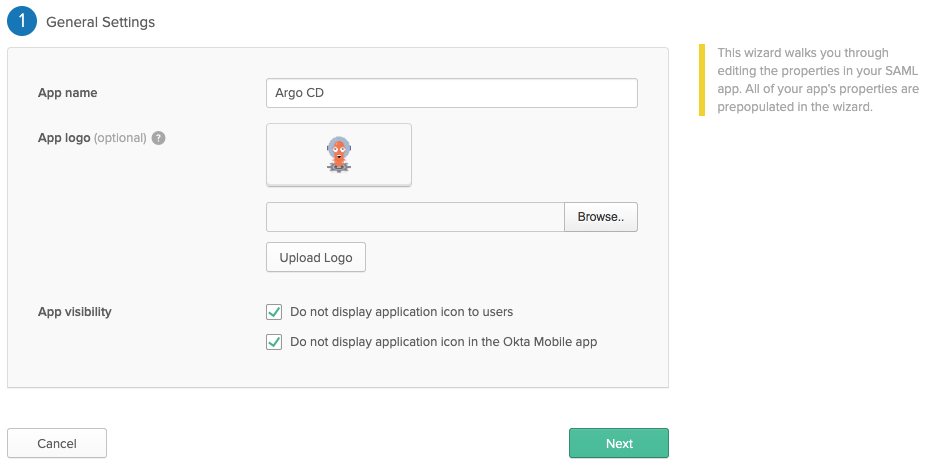 I've disabled
 App Visibilitybecause Dex doesn't support Provider-initiated login flows.
- Click
View setup instructionsafter creating the application in Okta. - Copy the Argo CD URL to the
argocd-cmin the data.url
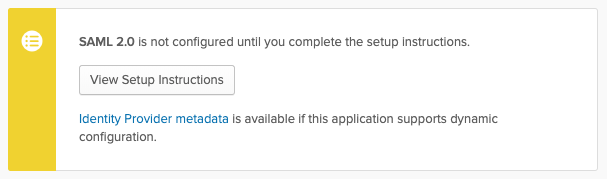
data:
  url: https://argocd.example.com
- Download the CA certificate to use in the
argocd-cmconfiguration.- If you are using this in the caData field, you will need to pass the entire certificate (including
-----BEGIN CERTIFICATE-----and-----END CERTIFICATE-----stanzas) through base64 encoding, for example,base64 my_cert.pem. - If you are using the ca field and storing the CA certificate separately as a secret, you will need to mount the secret to the
dexcontainer in theargocd-dex-serverDeployment. 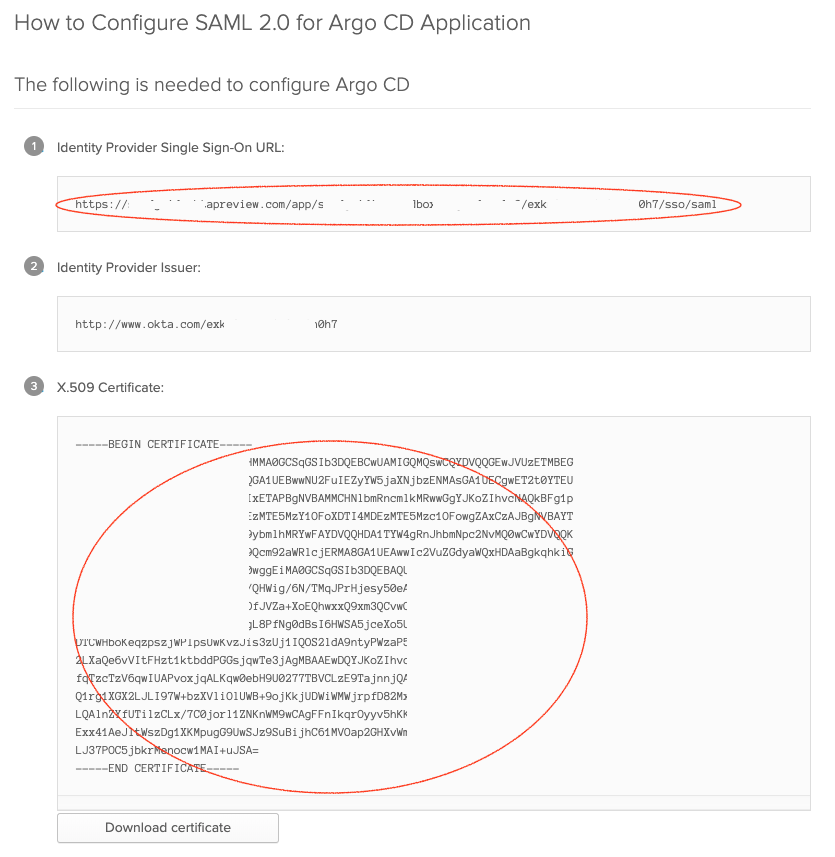
- If you are using this in the caData field, you will need to pass the entire certificate (including
- Edit the
argocd-cmand configure thedata.dex.configsection:
dex.config: |
  logger:
    level: debug
    format: json
  connectors:
  - type: saml
    id: okta
    name: Okta
    config:
      ssoURL: https://yourorganization.oktapreview.com/app/yourorganizationsandbox_appnamesaml_2/rghdr9s6hg98s9dse/sso/saml
      # You need `caData` _OR_ `ca`, but not both.
      caData: |
        <CA cert passed through base64 encoding>
      # You need `caData` _OR_ `ca`, but not both.
      # Path to mount the secret to the dex container
      ca: /path/to/ca.pem
      redirectURI: https://ui.argocd.yourorganization.net/api/dex/callback
      usernameAttr: email
      emailAttr: email
      groupsAttr: group
Private deployment
It is possible to setup Okta SSO with a private Argo CD installation, where the Okta callback URL is the only publicly exposed endpoint.
The settings are largely the same with a few changes in the Okta app configuration and the data.dex.config section of the argocd-cm ConfigMap.
Using this deployment model, the user connects to the private Argo CD UI and the Okta authentication flow seamlessly redirects back to the private UI URL.
Often this public endpoint is exposed through an Ingress object.
- Update the URLs in the Okta app's General settings
 The
The Single sign on URLfield points to the public exposed endpoint, and all other URL fields point to the internal endpoint.
- Update the
data.dex.configsection of theargocd-cmConfigMap with the external endpoint reference.
dex.config: |
  logger:
    level: debug
  connectors:
  - type: saml
    id: okta
    name: Okta
    config:
      ssoURL: https://yourorganization.oktapreview.com/app/yourorganizationsandbox_appnamesaml_2/rghdr9s6hg98s9dse/sso/saml
      # You need `caData` _OR_ `ca`, but not both.
      caData: |
        <CA cert passed through base64 encoding>
      # You need `caData` _OR_ `ca`, but not both.
      # Path to mount the secret to the dex container
      ca: /path/to/ca.pem
      redirectURI: https://external.path.to.argocd.io/api/dex/callback
      usernameAttr: email
      emailAttr: email
      groupsAttr: group
Connect Okta Groups to Argo CD Roles
Argo CD is aware of user memberships of Okta groups that match the Group Attribute Statements regex.
The example above uses the argocd-* regex, so Argo CD would be aware of a group named argocd-admins.
Modify the argocd-rbac-cm ConfigMap to connect the argocd-admins Okta group to the builtin Argo CD admin role.
apiVersion: v1
kind: ConfigMap
metadata:
  name: argocd-rbac-cm
data:
  policy.csv: |
    g, argocd-admins, role:admin
  scopes: '[email,groups]'
OIDC (without Dex)
Do you want groups for RBAC later?
If you want groups scope returned from Okta you need to unfortunately contact support to enable API Access Management with Okta or just use SAML above!
Next you may need the API Access Management feature, which the support team can enable for your OktaPreview domain for testing, to enable "custom scopes" and a separate endpoint to use instead of the "public" /oauth2/v1/authorize API Access Management endpoint. This might be a paid feature if you want OIDC unfortunately. The free alternative I found was SAML.
- On the
Okta Adminpage, navigate to the Okta API Management atSecurity > API.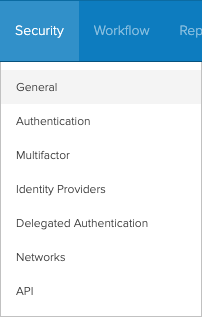
- Choose your
defaultauthorization server. - Click
Scopes > Add Scope- Add a scope called
groups.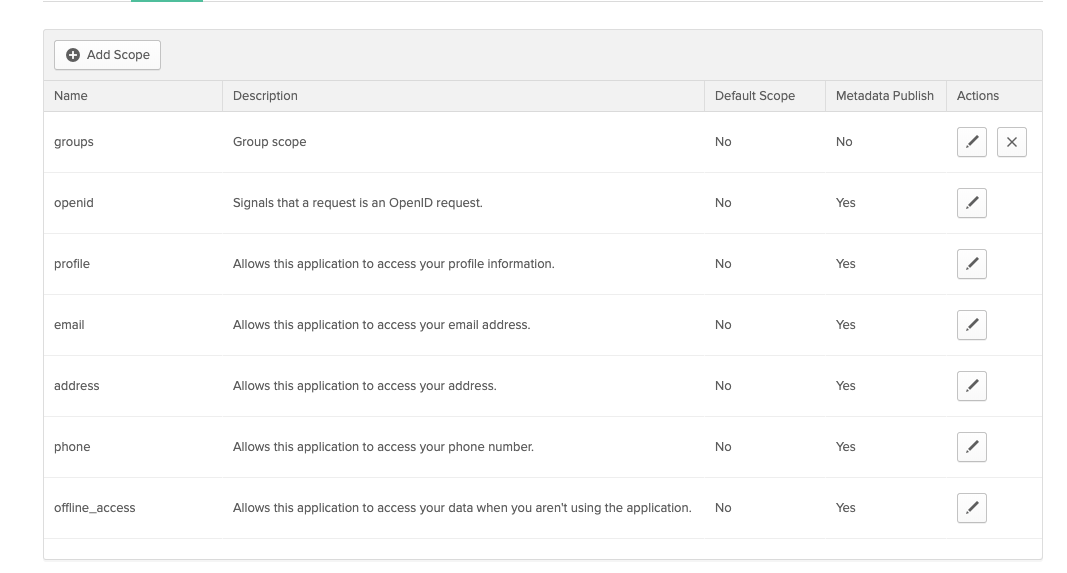
- Add a scope called
- Click
Claims > Add Claim.- Add a claim called
groups - Choose the matching options you need, one example is:
- e.g. to match groups starting with
argocd-you'd return anID Tokenusing your scope name from step 3 (e.g.groups) where the groups namematchestheregexargocd-.*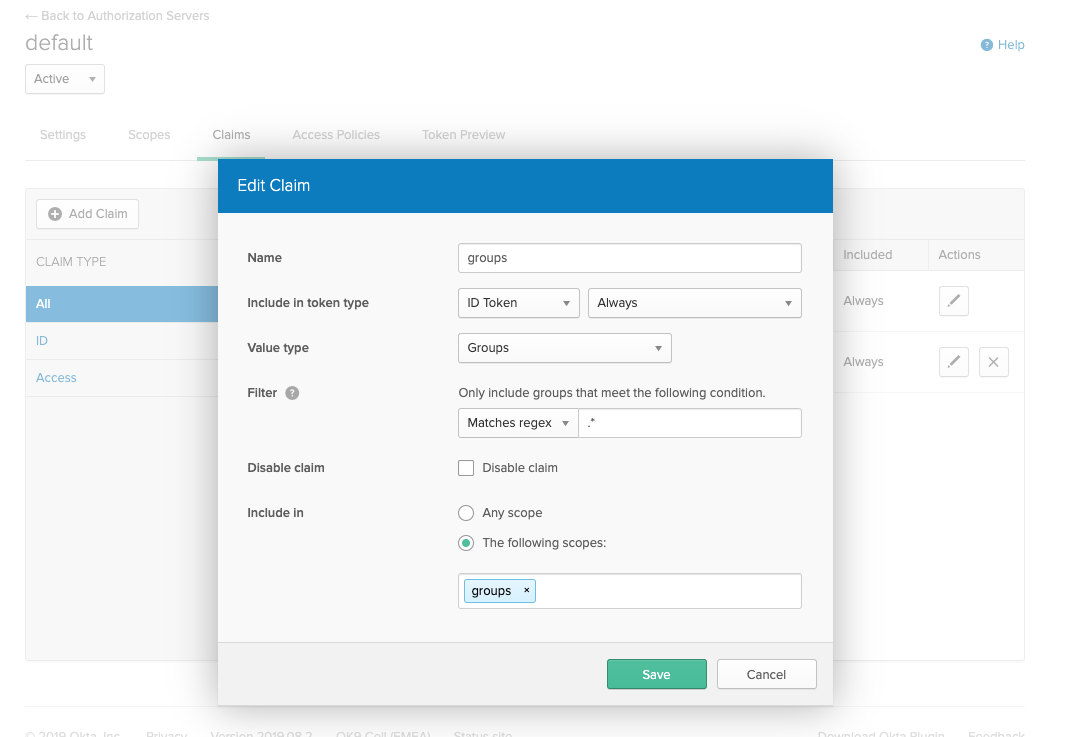
- e.g. to match groups starting with
- Add a claim called
- Edit the
argocd-cmand configure thedata.oidc.configsection:
oidc.config: |
  name: Okta
  issuer: https://yourorganization.oktapreview.com
  clientID: 0oaltaqg3oAIf2NOa0h3
  clientSecret: ZXF_CfUc-rtwNfzFecGquzdeJ_MxM4sGc8pDT2Tg6t
  requestedScopes: ["openid", "profile", "email", "groups"]
  requestedIDTokenClaims: {"groups": {"essential": true}}